Creating a quote workflow
In LBS Suite, you can create recurrent workflow templates. If your client always asks you a quote on the same type of services, use our workflow functionality.
Manual creation

- Go on your dashboard
- CRM tab
- Click on Workflow
You will see the list of existing workflows; you can rename and edit them by right clicking.

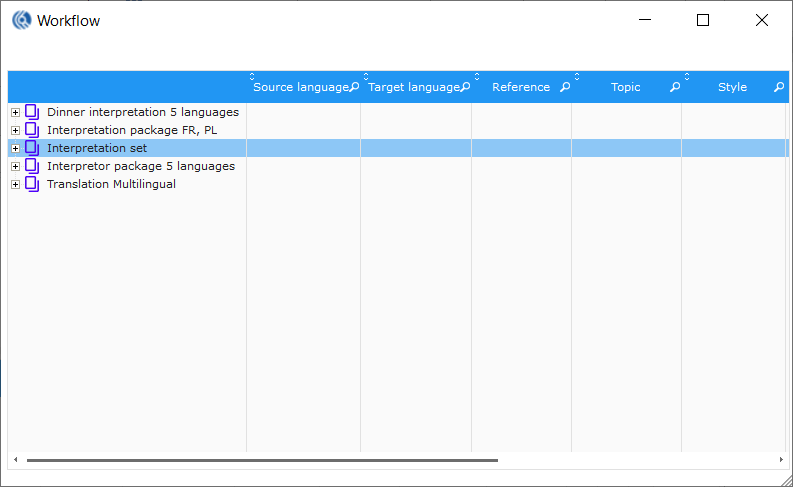
-
Right click
-
Select “create a workflow”
-
Insert name of your workflow, this name should be relevant and help you recognize it fast

-
Validate
-
Right click on the new workflow created
-
Select “add a service”
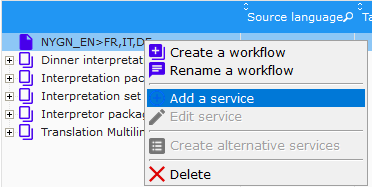
-
Fill the service window with its information
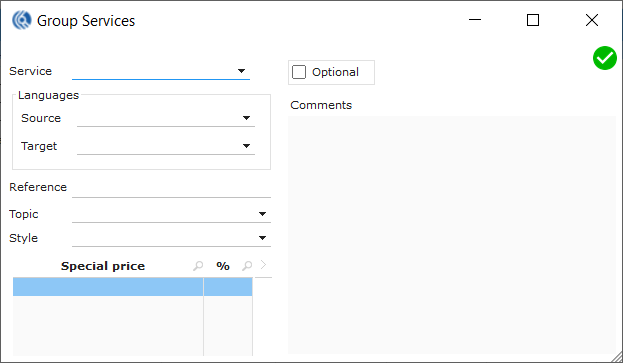
- Add as many as you want by repeating the same operation
Creation after quote lock
Once you have finished creating a quote for your client, you can set this quote as a workflow template:
 Select all lines of services
- Right click
- Select “create a workflow”
- Insert the name of your workflow
- Tick/untick on element that you would keep in the workflow
- Validate
- Your workflow is created
